
Accessibility in fashion content isn’t optional anymore. It’s the difference between reaching 15% of your potential audience and reaching 100%. When you create fashion content that everyone can engage with, regardless of their abilities or the devices they use, you’re not just being inclusive. You’re being smart.
Think about it this way: A visually stunning outfit post means nothing to someone using a screen reader if your image lacks proper alt text. That perfectly curated Instagram Story disappears for anyone with hearing impairments if there are no captions. Your gorgeous website layout becomes unusable for someone navigating by keyboard if you haven’t considered focus states and tab order. These aren’t edge cases. We’re talking about billions of people worldwide who experience content differently than you might.
The fashion industry has spent decades perfecting visual storytelling, but 2026 demands we expand that expertise. Accessibility means your content works beautifully whether someone’s viewing it on a phone in bright sunlight, using assistive technology, dealing with slow internet speeds in rural areas, or navigating color blindness. It’s about designing with intention from the start rather than retrofitting solutions later.
Here’s what makes this particularly relevant for fashion creators: Unlike other industries, fashion relies heavily on visual elements that seem inherently difficult to make accessible. How do you describe the drape of fabric or the exact shade of a trending color? How do you maintain your aesthetic while adding text overlays and captions? These challenges aren’t insurmountable. They just require a shift in how you approach content creation.
The good news? Making your fashion content accessible doesn’t mean sacrificing style. It means thinking more creatively about how you communicate. And in a crowded digital space where every brand is fighting for attention, accessible content actually stands out.
What Accessibility Really Means in Fashion Media
Accessibility in fashion media means that anyone can experience, understand, and interact with style content, regardless of their abilities or the device they’re using. It’s not just about adding captions to satisfy legal requirements or ticking boxes on a compliance checklist. True accessibility in fashion means a visually impaired person can “see” the drape of a silk blouse through detailed image descriptions, a deaf viewer can follow a makeup tutorial through quality captions, and someone with motor limitations can navigate an online lookbook without touching a mouse.
When we talk about beyond compliance web accessibility in fashion, we’re addressing how people consume style content across every platform. Fashion blogs need text that works with screen readers while maintaining their distinctive voice. Digital magazines must ensure their interactive layouts don’t trap keyboard users. Video content, from runway shows to styling tips, requires captions that capture not just dialogue but also visual context. Social media posts need thoughtful alt text that describes outfit details, not just “woman in dress.”
E-commerce platforms face perhaps the steeperst accessibility challenges. Product images need descriptions that convey texture, fit, and styling potential. Filter systems must work for people who can’t see color swatches or use a mouse. Size charts should be navigable by assistive technology. The entire shopping journey, from browsing to checkout, needs to accommodate different abilities.
Accessibility also means acknowledging that barriers exist in formats fashion creators rarely question. A PDF lookbook might be beautiful but completely inaccessible to screen readers. An Instagram Story with text overlaid on busy patterns becomes unreadable for people with visual processing differences. A website that requires precise clicking excludes anyone with tremors or limited hand mobility.
When fashion media embraces real accessibility, it doesn’t sacrifice aesthetic appeal. It expands who gets to participate in fashion conversations, who can shop confidently, and who feels welcomed into the style community.
The Cross-Platform Challenge: Fashion Content Everywhere, Access Not Always
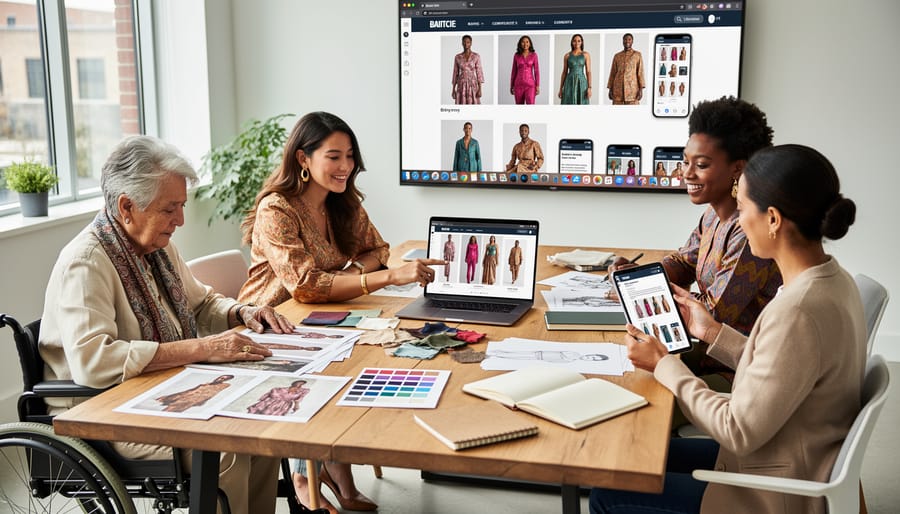
Fashion content has exploded across every imaginable platform, but the doors to that content remain locked for millions. A stunning outfit post that works beautifully on Instagram might be completely inaccessible when shared to a website. A makeup tutorial that captivates on TikTok could exclude deaf viewers entirely. The same fashion magazine that once existed only in print now appears as a mobile app, a responsive website, social media snippets, and video content, each version introducing new barriers for different users.
The platform fragmentation creates a perfect storm of accessibility challenges. What works on one medium often fails on another. Desktop websites allow precise keyboard navigation and screen reader compatibility, but many fashion brands strip these features when building mobile apps, assuming touch screens eliminate the need. Social platforms like Instagram and TikTok prioritize visual storytelling, yet their accessibility features remain buried or poorly implemented, leaving creators guessing how to make content inclusive.
Each platform brings its own technical constraints and user expectations. Print magazines transitioning to digital formats often preserve their visual layouts but lose the logical reading order screen readers need. Mobile apps compress images to save bandwidth, reducing contrast ratios below accessible thresholds. Video platforms autoplay content without captions enabled by default. Even well-intentioned fashion brands struggle to maintain accessibility across all these touchpoints.
| Platform | Common Barriers | Key Solutions |
|---|---|---|
| Website | Poor color contrast, missing alt text, broken keyboard navigation | WCAG compliance testing, semantic HTML, skip-to-content links |
| Mobile App | Tiny touch targets, gesture-only controls, compressed images | Larger tap areas, alternative input methods, scalable text |
| Image-only posts, decorative emoji, inaccessible Stories | Alt text for images, meaningful captions, text overlays with contrast | |
| TikTok | Auto-play without captions, fast cuts, text-on-video readability | Enable auto-captions, slower pacing, high-contrast text placement |
| Digital Print Editions | Fixed layouts, scanned text, non-reflowable content | Reflowable formats, OCR accuracy, logical reading order |
The complexity multiplies when fashion brands try to repurpose content. That beautifully designed lookbook might be accessible as a PDF on desktop but completely unusable when viewed on a phone. A carousel post on Instagram loses all context when the same images appear on Pinterest without captions. Cross-platform consistency requires intentional planning from the start, not afterthought adjustments. Most fashion teams lack dedicated accessibility expertise, making it nearly impossible to catch platform-specific issues before content goes live.
Who Benefits from Accessible Fashion Content?
Beyond Disability: The Universal Benefits
When you tap your phone while walking through a sun-drenched plaza, clear type against high-contrast backgrounds suddenly matters to everyone, not just screen-reader users. Accessible fashion content creates a smoother experience across situations we all encounter daily.
Consider the fashion enthusiast scrolling through outfit inspiration on a crowded subway. Captions on video tutorials mean they catch every styling tip without needing sound. The same feature helps someone watching makeup techniques in a library or following a trend analysis while their toddler naps. Clear, descriptive text serves the professional reading fashion news during their lunch break and the student researching sustainable brands in their second language.
Older adults navigating fashion e-commerce appreciate larger tap targets and readable fonts, design choices that also help anyone with cold hands struggling with touchscreen precision. Simple, jargon-free descriptions and plain language benefits all readers, whether they’re new to fashion terminology or facing decision fatigue after a long day.
In areas with spotty internet, lightweight pages with optimized images load faster, keeping style content accessible when bandwidth drops. The principles behind universal design remind us that everyone benefits from UD approaches, not just specific groups.
This broader view shifts accessibility from obligation to opportunity. When fashion platforms build with varied contexts in mind, they reach more people in more moments, turning occasional visitors into regular readers.
Making Fashion Images Accessible Across Platforms
Fashion lives and breathes through images. A sculptural silhouette, the drape of silk against skin, a bold lip color that transforms a face, these visual moments form the language of style. Yet for millions of fashion enthusiasts who are blind, have low vision, or use assistive technology, these images remain silent unless we describe them properly.
Making fashion images accessible starts with understanding that you’re not just adding a technical requirement, you’re translating visual storytelling into words that carry the same energy and detail.
Alt text for fashion images needs specificity. “Woman in dress” tells us nothing. “Woman in emerald-green wrap dress with flutter sleeves, belted at natural waist, paired with nude pointed-toe pumps” paints the picture. The goal isn’t exhaustive cataloging but capturing what makes the image notable. For a product shot, include color, silhouette, fabric texture, key details like buttons or embellishments, and styling context. For outfit inspiration posts, describe how pieces work together and the overall vibe they create.
Platform requirements vary. Instagram’s alt text field allows 100 characters, which forces prioritization. Twitter (X) offers more space. Website images can include longer descriptions either in alt text or supplementary captions. Keep alt text concise, under 125 characters when possible, and use image captions or surrounding text for richer detail.
Makeup tutorials present a particular challenge because transformations happen in stages. Describe not just the final look but the techniques and products visible in each frame. “Applying bronze eyeshadow in crease with fluffy blending brush” gives context that “makeup application” doesn’t.
Runway images benefit from describing both the garment and the staging: “Model walks minimalist white runway in oversized charcoal blazer, no shirt, with wide-leg trousers and chunky black boots.” You’re setting the scene, not just itemizing clothes.
Don’t rely on automated alt text generators. They miss fashion’s nuances entirely, often producing descriptions like “person, clothing, standing” that erase the style entirely. Manual descriptions written by humans who understand fashion create genuinely accessible content that respects both the creator’s vision and the audience’s experience.
Video Content: From Runway Shows to Makeup Tutorials
Fashion video content moves fast, runway models striding past in seconds, makeup looks transforming in time-lapse, styling hands flying through outfit changes. That speed makes video compelling, but it also creates barriers for viewers who can’t catch every visual detail or hear the commentary. Making fashion videos accessible means ensuring everyone experiences the full creative vision, regardless of how they consume the content.
Captions are the foundation. Not automatically-generated captions that turn “contour” into “counter” or miss half the product names, but properly edited captions that capture the actual words. For beauty tutorials, this means spelling out brand names and shade numbers. For runway commentary, it includes the designer names and collection references. Captions also help viewers watching on mute during commutes or in quiet spaces, making your content more versatile across viewing contexts.
Audio descriptions take accessibility further by narrating the visual elements that dialogue doesn’t cover. When a makeup artist silently blends eyeshadow or a model spins to show the back of a dress, audio description fills that gap. For a runway show, this might describe the silhouette, fabric movement, color palette, and styling details between commentary. The challenge is timing: fashion content rarely pauses, so descriptions need to fit naturally into gaps or require extended audio description tracks that viewers can enable.
Transcripts provide the full picture in text form. A complete transcript of a styling video includes both spoken words and descriptions of visual actions: “layers gold necklaces of varying lengths,” “tucks the silk blouse into high-waisted trousers,” “adds a structured blazer.” This creates a reference document that benefits not just screen reader users, but anyone who wants to review specific techniques without rewatching the entire video.
Creating accessible fashion video content involves:
- Editing auto-generated captions to correct fashion terminology, brand names, and technical terms
- Positioning captions away from on-screen text overlays and lower-third graphics
- Using clear, well-lit visuals with sufficient contrast between subject and background
- Pacing demonstrations so key moments are visible long enough to register
- Providing transcripts that describe both verbal content and visual techniques
- Adding audio descriptions for silent portions or offering extended description tracks
- Avoiding flashing effects or rapid cuts that trigger photosensitivity
Visual clarity matters especially in tutorials. Close-ups need sharp focus so viewers can see brush placement or fabric texture. Lighting should eliminate shadows that obscure details. When demonstrating techniques on different skin tones or body types, ensure each example gets the same visual quality and camera time.
Fast-paced runway content presents unique challenges. Consider offering both the full-speed show and a version with extended pauses or slower playback that allows time for audio descriptions. Alternative formats like photo galleries with detailed descriptions can complement video, giving viewers multiple ways to experience the collection.
The technical effort pays off in reach. Accessible videos perform better in search, engage broader audiences, and demonstrate that your fashion content truly welcomes everyone who wants to learn, get inspired, or simply enjoy the creativity.

Navigating Fashion Sites: The Mobile and Desktop Experience
# Navigating Fashion Sites: The Mobile and Desktop Accessibility Experience
Whether you’re browsing outfit inspiration on your laptop or checking new arrivals on your phone during a commute, every interaction with a fashion site should work seamlessly. Yet many fashion platforms create accidental barriers through navigation patterns that assume everyone uses a mouse, can see small text, or processes information the same way.
Keyboard navigation becomes essential when someone can’t use a mouse due to motor limitations or relies on assistive technology. Fashion sites often trap keyboard users in complex menus or image galleries, making it impossible to tab through products logically. Every clickable element, product cards, size selectors, wishlist buttons, needs to be reachable and activatable with just a keyboard.
Screen reader compatibility transforms how blind and visually impaired users shop for clothes. When a screen reader announces “image, image, image” instead of describing a floral midi dress versus a striped maxi, the browsing experience collapses. Proper labeling means every product link, filter option, and navigation element announces its purpose clearly: “Add black leather ankle boots to cart, button” instead of just “click here.”
Mobile poses unique challenges since fashion sites cram dozens of filters, categories, and sorting options into small screens. Touch targets need adequate spacing so selecting “size 8” doesn’t accidentally choose “size 6.” Collapsible menus should indicate their state clearly, and search functionality needs to work with voice input.
Filter systems for fashion e-commerce deserve special attention. Someone using a screen reader should navigate color, size, style, and price filters as easily as someone clicking checkboxes visually. Clear labels, logical grouping, and feedback confirming selections make the difference between frustration and finding the perfect piece.
Color, Contrast, and Fashion: Finding the Balance
Fashion thrives on color, bold hues, subtle neutrals, and everything in between. But when your signature palette features light grey text on white backgrounds or pastel overlays on product images, you’re creating barriers for users with low vision, color blindness, or anyone viewing content in bright sunlight. The Web Content Accessibility Guidelines recommend a contrast ratio of at least 4.5:1 for normal text and 3:1 for large text, which sounds technical until you realize it simply means your text needs to be clearly readable against its background.
The good news? Accessible color schemes don’t require abandoning your brand identity. Many fashion brands maintain their aesthetic by using darker shades of their signature colors for text while keeping lighter versions for backgrounds and accents. A dusty rose brand might use deep burgundy for headings rather than pale pink. Monochromatic palettes work beautifully when you vary the intensity, think charcoal text on cream backgrounds instead of medium grey on light grey.
Test your color combinations with free contrast checkers before publishing. When featuring fashion imagery with text overlays, common in Instagram posts and hero banners, add semi-transparent backgrounds behind text or use shadows to ensure readability. Some brands successfully layer white text with dark drop shadows over colorful runway photos, maintaining visual drama while guaranteeing legibility. Your carefully curated aesthetic loses its impact if half your audience struggles to read the accompanying text describing it.
Social Media Accessibility in Fashion
# Accessibility in Social Media Fashion Content
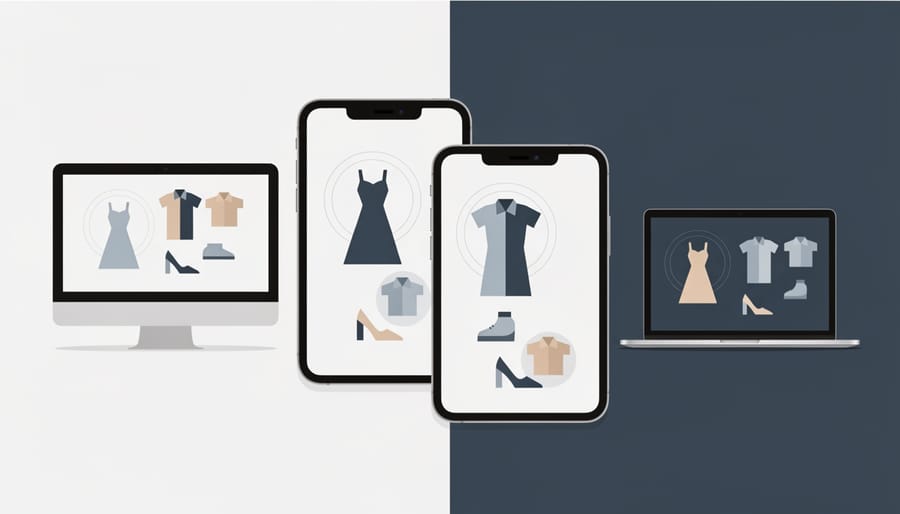
Instagram, TikTok, and Pinterest dominate how we discover and share fashion, but their fast-paced, highly visual nature creates accessibility barriers that many creators overlook. Each platform has unique features and limitations that affect how people with disabilities experience your content.
Start with captions on every video, not just Stories and Reels. Auto-generated captions miss fashion terminology constantly, “Schiaparelli” becomes “shopping really,” and “bouclé” turns into gibberish. Edit them. TikTok’s built-in caption editor takes seconds and ensures your styling tips reach people watching in sound-sensitive environments or those who are deaf or hard of hearing.
Alt text exists on Instagram and increasingly on other platforms, but most fashion accounts ignore it. When posting outfit grids or product flats, describe what matters: “Black turtleneck tucked into high-waisted wide-leg trousers, burgundy leather belt” gives context that “outfit of the day” never will. Pinterest now prompts for descriptions during uploads, use them.
Hashtags need spaces between words for screen readers. Write #AccessibleFashion instead of #accessiblefashion so assistive technology reads each word separately rather than running them together. Limit emoji strings to two or three per post. Twenty sparkle emojis in a row forces screen reader users to hear “sparkles, sparkles, sparkles” twenty times before reaching your actual message.
Stories and Reels present tougher challenges because content disappears quickly. Pair rapid visual transitions with text overlays that stay on screen long enough to read, at least three seconds per screen. Avoid flashing effects above three flashes per second, which can trigger seizures.
Platform-specific accessibility features evolve constantly. Instagram’s automatic alt text improves yearly but still struggles with fashion context. TikTok added audio descriptions in 2025. Pinterest introduced accessible color contrast checks for text overlays. Stay current with these tools and use them.
Real-World Success: Fashion Brands Getting It Right in 2026
Several major fashion players have transformed their digital presence this year by prioritizing accessibility, and the results speak volumes. Tommy Hilfiger’s adaptive clothing line now features a dedicated microsite where every product page includes detailed texture descriptions, fabric weight specifications, and video demonstrations showing how garments function for different mobility needs. Their checkout process works seamlessly with voice commands, and customers report a 40% increase in completed purchases since the overhaul.
ASOS took a different approach by redesigning their mobile app with customizable display options. Users can now adjust text size, contrast levels, and animation speed without leaving the shopping experience. The brand also introduced “outfit sound descriptions” for their styling videos, short audio clips that describe color combinations, silhouettes, and styling details before the visual content plays. Early data shows these features are used by 15% of all app users, not just those with disabilities.
Vogue’s digital platform invested heavily in their archive accessibility this year. Every fashion editorial from the past five years now includes comprehensive image descriptions that capture not just what models wear, but the mood, lighting, and artistic intent of each photograph. Their fashion week coverage streams include synchronized captions and audio descriptions that convey runway choreography and styling nuances.
Smaller brands are making waves too. Girlfriend Collective ensures their Instagram posts always include detailed alt text and places text overlays on high-contrast backgrounds. The activewear brand found that their engagement rates climbed 25% after implementing these changes, proving that accessibility improvements attract broader audiences while serving those who need them most.
Simple Steps Every Fashion Creator Can Take Today
You don’t need advanced tools or a technical team to make your fashion content more accessible right now. Start where you are, with what you have, and build from there.
Write meaningful alt text for every image you post. Don’t settle for “outfit photo” or “new dress.” Instead, describe what matters: “Midi-length floral dress in coral and navy with puff sleeves and smocked waist, styled with white sneakers.” Think about what details you’d share with a friend who can’t see your screen. The color palette, silhouette, styling details, and mood all help someone understand the complete fashion story you’re presenting.
Caption your video content. Most social platforms now offer auto-captioning features built right in. On Instagram and TikTok, toggle on the caption option before posting. For YouTube videos, review and edit the automatic captions rather than leaving them unpolished. Fashion terms often get mangled by auto-transcription, so a quick proofread ensures “tulle skirt” doesn’t become “tool skirt” and “matte lipstick” reads correctly instead of as gibberish.
Here’s a straightforward sequence to transform your content accessibility, ranked from simplest to implement:
- Enable platform auto-captions on all video content and review them for accuracy before publishing
- Write descriptive alt text for images that captures style details, not just basic identification
- Use proper heading structure in blog posts rather than just making text bigger and bold
- Add text descriptions to Instagram Stories and ensure sufficient contrast between text and backgrounds
- Include image descriptions in social media captions when visual details drive the content
- Test your website navigation using only a keyboard to identify mobility barriers
- Create accessible PDFs for lookbooks and guides using built-in document structure tools
Check your color contrast using free online tools like WebAIM’s Contrast Checker before finalizing graphic designs. Your signature brand colors can remain, but test whether light text on your background images remains readable. A subtle darkening filter over background photos often solves contrast issues without compromising aesthetics.
Stop using “link in bio” as your only call to action. Include the actual destination or context so screen reader users know what they’re clicking toward. “Shop the summer collection at BackstageFashion.com” beats a vague “link in bio” every time.
Making fashion content accessible across every platform isn’t about stripping away creativity or dulling your aesthetic vision. It’s about ensuring that the style inspiration, trend insights, and fashion community you’ve built can genuinely include everyone who wants to be part of it. When you add thoughtful alt text to an outfit photo, caption your makeup tutorial, or choose readable contrast for your blog text, you’re not compromising your brand, you’re strengthening it.
The fashion industry has spent recent years reckoning with its historical exclusions, championing body diversity, cultural representation, and sustainable practices. Accessibility is the natural extension of that evolution. It recognizes that fashion enthusiasts come with varied abilities, different devices, fluctuating internet speeds, and countless ways of experiencing digital content. Cross-platform accessibility means someone scrolling on a phone in bright sunlight can read your styling tips just as easily as someone using a screen reader on a desktop computer.
Every fashion creator, brand manager, and content producer has the power to make a difference today. Start small if you need to, add descriptive captions to your next Instagram post, review your website’s color contrast, include transcripts for video content. These steps take minutes but open doors for countless people who’ve been locked out of fashion conversations they’re eager to join.
The future of fashion content isn’t less beautiful or less creative because it’s accessible. It’s richer, broader, and more vibrant because it finally includes all the voices, perspectives, and styles that have been waiting to participate. Make space for everyone at the table.